

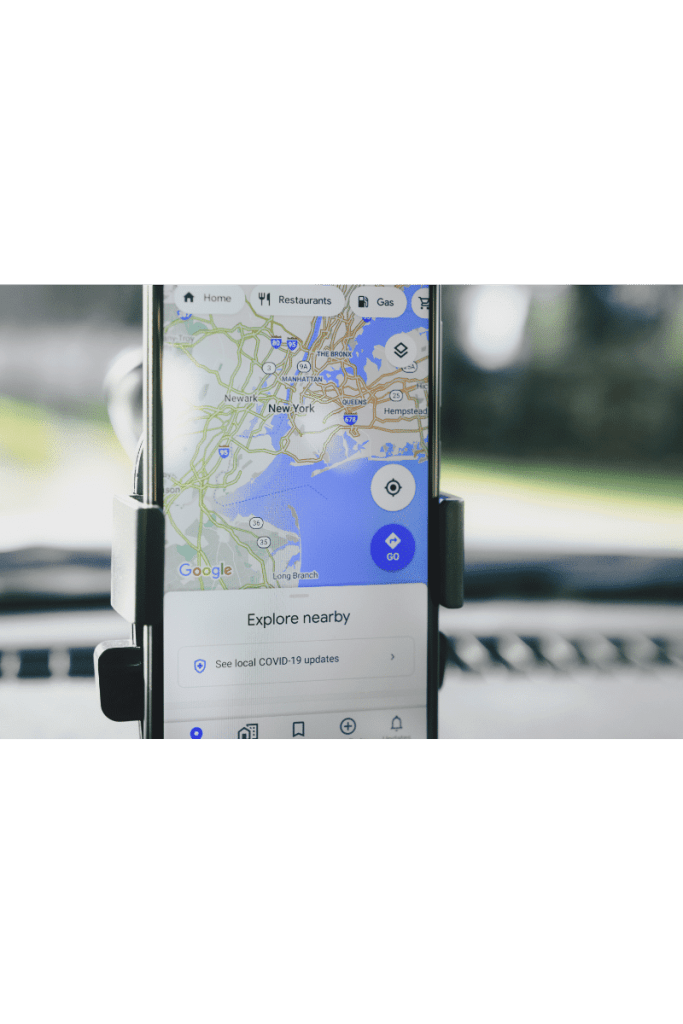
Get ready for some helpful tips for Google My Business.
Ever heard of Google My Business? If not, you’re in for an enlightening ride. Google My Business (GMB) is a free tool from Google. It allows you to promote your Business Profile and website on Google Search and Maps.
With GMB, you can see and connect with your customers. You can post updates to your Business Profile. You can also see how customers are interacting with your business on Google. It’s your one-stop shop for managing how your business appears on Google.
Think of it as your digital storefront. It is a showcase where potential customers can quickly find, learn about, and engage with your business. And if you’re thinking, “This sounds great, but how do I make the most of it?” — stick around, we’re just getting started.
Understanding the Importance of GMB
Let’s get this straight—being online is good, but being discovered online is great. And that’s where Google My Business steps in. It’s more than a business listing. It’s your opportunity to tell your story, engage with followers, and drive more business to your door.
Imagine a potential customer searching for your business or your Google services. With a well-optimized GMB profile, your business will show up with not only your address and contact info. It will also have photos, offers, and customer reviews. It’s like having your billboard in the digital world.
In a world where 97% of consumers use the web to find local businesses, you can’t afford to ignore Google My Business. It’s your ticket to better visibility, increased trust, and more customers.
How to Set Up Google My Business
Below is a step-by-step guide to setting up your Google My Business account with some tips, too. This might seem daunting, but it’s simpler than you think.
- First, you need to create a GMB account and verify your business.
- Then, you’ll be prompted to enter important details about your business. You will include information like your name, address, and opening hours.
- Next, you can add photos, which can do wonders for attracting customers. People love visuals, and a picture can be worth a thousand words.
- Lastly, you’ll want to manage and respond to customer reviews and update your profile.
Remember, though, it’s not enough to set up your GMB profile. To make it work for you, you’ll need to optimize it. And that’s where Forza Digital Consulting comes into play.
The Role of Forza Digital Consulting
Here at Forza Digital Consulting, we specialize in helping businesses shine online. And when it comes to Google My Business, we’re pros at putting businesses on the map—literally.
Our team understands the ins and outs of GMB. We can optimize your profile for the greatest visibility and manage customer reviews. We’ll help you make the most of your GMB profile, ensuring that it’s not just set up but set up for success.
We’re firm believers that every detail matters. That’s why we go the extra mile to ensure your profile is optimally filled out. We ensure your photos are engaging and your customer reviews are managed effectively.
Top 10 Expert Tips to Boost Your Digital Presence with Google My Business
Now that you’re well-versed in what Google My Business is and why it’s important, let’s dive into some expert tips to help you boost your digital presence.
- Complete Your Profile:
A complete profile is a credible profile. Make sure all your business information is filled out. This needs to include your business description and contact details. it also needs your business category and operating hours.
- Use High-Quality Photos:
A picture speaks a thousand words. Use high-quality images that portray your business.
- Manage Reviews:
Reviews can make or break your relationship with potential customers. Always respond to positive and negative reviews in a professional and timely manner.
- Use Google Posts:
Keep your customers updated with Google Posts. You can share updates, offers, events, and more.
- Utilize Direct Messaging:
GMB allows customers to message you directly. Ensure this feature is turned on and you’re responsive to messages.
- Add a Booking Button:
If your business relies on bookings, you can add a booking button to your profile. This makes it convenient for customers to schedule appointments.
- Use the Q&A Feature:
The Q&A feature allows you to answer common customer questions. It’s a great way to provide valuable information and show engagement.
- Monitor Insights:
GMB provides valuable insights into how people find your business and what they do once they find it. Use this data to optimize your profile and marketing strategy.
- Stay Active:
Regularly update your profile with new photos, posts, and offers. An active profile shows that your business is alive and well.
- Hire a Pro:
If it all seems overwhelming, consider hiring a professional like Forza Digital Consulting to manage and optimize your GMB profile.
Google My Business Tips – Success Stories
While these tips are great in theory, they’re even better in practice. And we’ve got the case studies to prove it. Take Joe’s Coffee Shop, for example. They went from being unknown online to having a steady stream of customers discovering them through their GMB profile.
Or consider Sarah’s Boutique. By strategically managing customer reviews and posting engaging photos and updates often, they were able to increase their brand visibility and customer engagement.
Using some of the Tips for their Google My Business profile these companies were able to start driving organic traffic to their sites and increase revenue without having to invest heavily in paid advertising.
These aren’t isolated cases. Businesses across industries are leveraging Google My Business to boost their digital presence and with great success.
How Forza Digital Consulting Can Help in Implementing Google My Business Tips
At Forza Digital Consulting, we’re not just about giving advice. We’re about taking action. Our team of digital marketing experts can help implement these GMB tips to ensure your business gets the visibility and engagement it deserves.
Whether it’s optimizing your profile, managing customer reviews, or developing a strategy to stay active, we’ve got you covered. With us by your side, you can focus on what you do best—running your business—while we care for your digital presence.
Mistakes to Avoid in Google My Business
While Google My Business can be a powerful tool for your business, avoiding some common pitfalls is essential. One of the biggest mistakes businesses make is neglecting to fill out their profile completely or inaccurately.
Another mistake is ignoring customer reviews. Whether positive or negative, every review deserves a response. Not only does this show that you value your customers, but it also allows you to showcase your customer service.
And then there’s the mistake of inactivity. Google My Business is not a set-it-and-forget-it tool. It requires regular updates and engagement to benefit your business.
How to Measure the Success of Your Google My Business Strategy
Success can’t be achieved without measurement. Luckily, Google My Business provides a variety of metrics you can use to assess the effectiveness of your GMB strategy.
From how people found your business (through direct search, discovery search, or Google Maps) to what actions they took (like visiting your website, calling your business, or asking for directions), GMB provides invaluable insights into your digital presence.
By regularly monitoring these metrics, you can identify areas of success and areas that need improvement, allowing you to optimize your GMB strategy for better results continually.
Let’s Get Going
With these Google My Business Tips, you can use this powerful tool to boost your visibility, engage with customers, and drive more business to your door.
But remember, it’s not just about setting up your GMB profile. It’s about optimizing it, engaging with it, and measuring its success. And if that sounds like a lot, don’t worry. Forza Digital Consulting is here to help.
So why wait? Start unleashing the power of Google My Business today and watch your digital presence soar!